AI Automation for Business (2026): Costs, Benefits & Use Cases
Most businesses are adopting AI automation for the wrong reasons — and paying for it. Before you commit, here's the complete picture: real benefits, hidden costs, and the use cases actually delivering results in 2026
Why 2026 Is a Turning Point for Business Automation
AI automation for businesses is no longer a technology reserved for companies with enterprise budgets and dedicated data science teams. Platforms that once required months of custom development can now be configured in weeks. Costs that once started in the hundreds of thousands are now accessible at a fraction of that and small and mid-sized businesses are adopting them at a pace that would have been unthinkable five years ago.
But accessibility does not mean simplicity. The same wave of tools bringing genuine efficiency gains also brings real integration challenges, upfront costs that rarely appear in vendor marketing, and workforce decisions that require careful thought.
This article covers all of it the proven benefits, the honest cost picture, the use cases delivering real results in 2026, and the tradeoffs that matter before committing. The goal is straightforward: give business owners and operations managers the complete picture needed to make a confident, informed decision.
Key Takeaways: AI Automation for Businesses at a Glance
- AI automation has moved well beyond enterprise use modern platforms are now viable for small and mid-sized businesses across most industries.
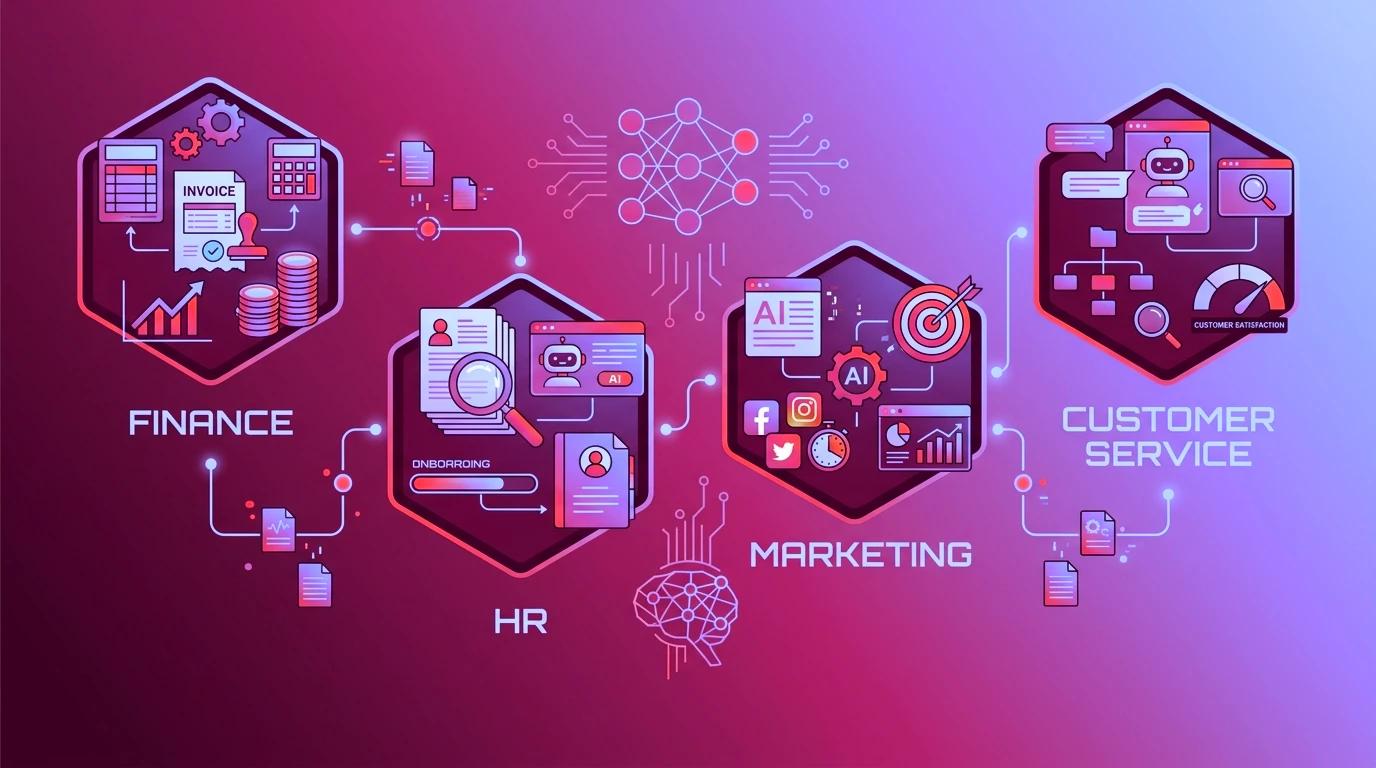
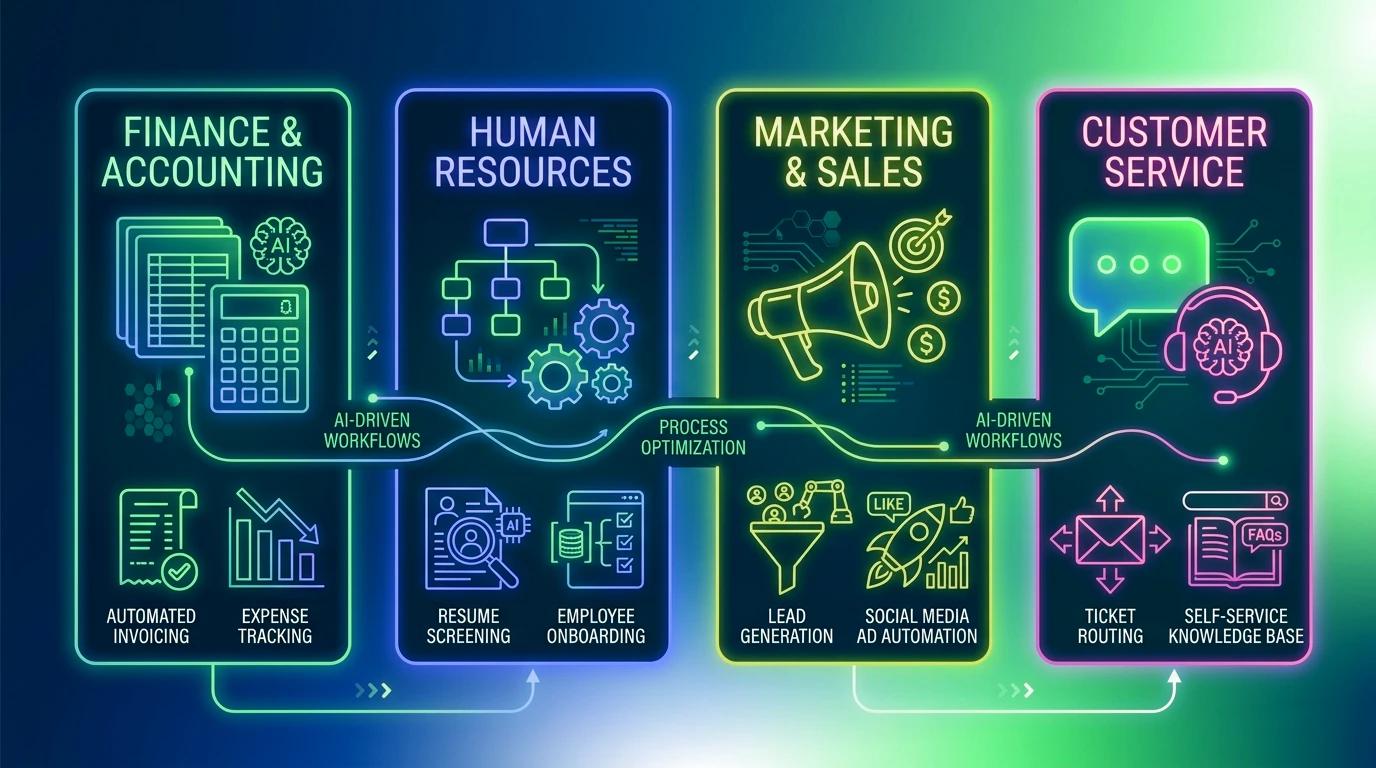
- The most reliable use cases in 2026 include customer support, finance operations, HR workflows, and supply chain management.
- Benefits are real: faster processing, lower error rates, and scalability without proportional hiring.
- Hidden costs matter: implementation, data preparation, staff training, and ongoing monitoring add significantly to the sticker price of any tool.
- Knowing what are the best AI automation use cases for your specific business is more important than adopting the most popular platform.
- AI automation reshapes roles — it does not automatically eliminate them. Change management is a non-negotiable part of any successful rollout.
What Is AI Automation in Business — And How Is It Different From Traditional Automation?
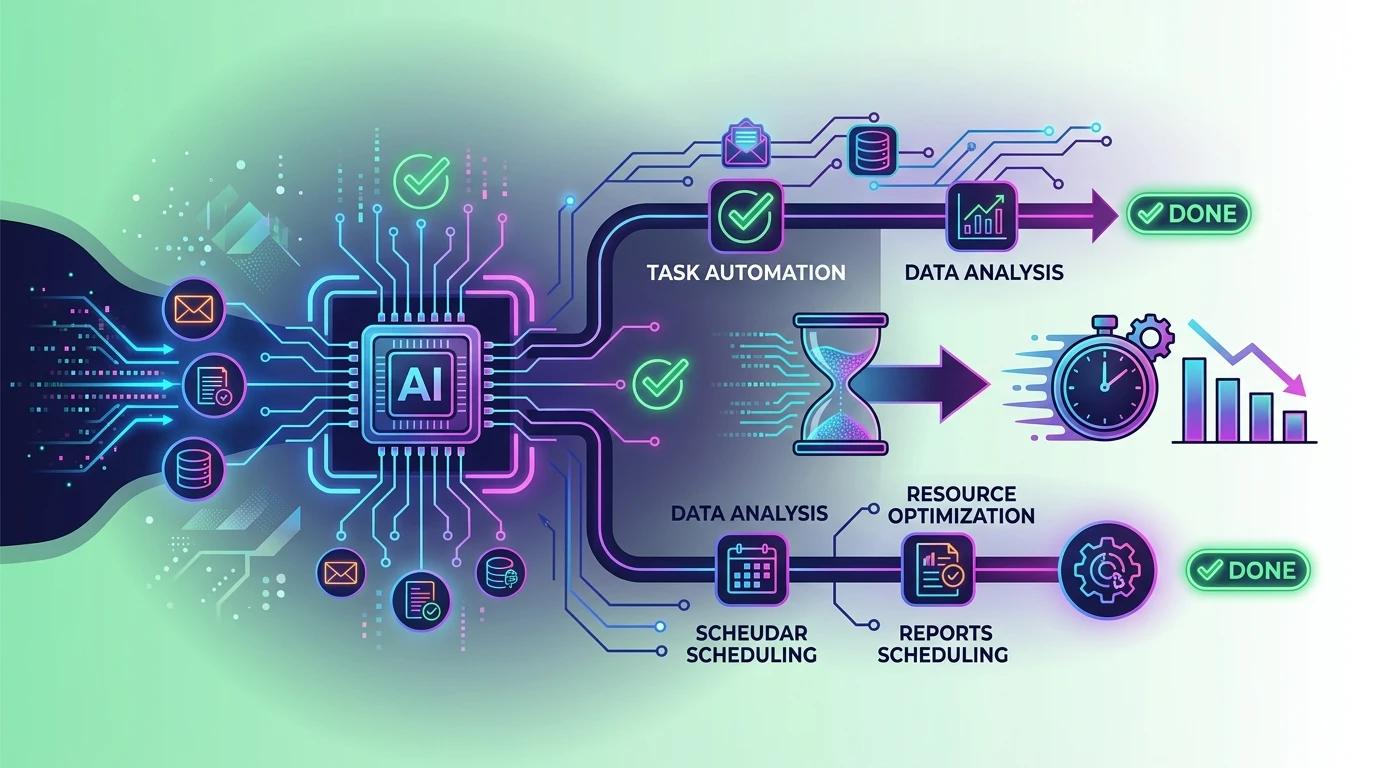
AI automation is the use of artificial intelligence technologies to handle business tasks that would otherwise require human time, judgment, or repetitive effort. In a business context, this ranges from automatically sorting customer support tickets to predicting inventory shortfalls before they happen.
The term gets used loosely, which creates confusion particularly when businesses are comparing tools or evaluating vendors. Understanding the core distinction between traditional automation and AI automation is the clearest starting point.
Traditional Automation vs. AI Automation: The Core Difference
Traditional automation follows fixed rules. If X happens, do Y. It works well for predictable, structured tasks but the moment a scenario falls outside the rules it was built for, it fails or stops. A traditional automation system cannot learn, adapt, or handle ambiguity.
AI automation is different because it can handle variation. It learns from data, recognizes patterns, and improves its outputs over time. It can process unstructured inputs like a customer email written in plain language and respond or route appropriately. For business decision-making, this distinction is significant: AI automation can handle complexity that rule-based systems simply cannot.
Key Technologies Powering Business Automation With AI in 2026
Several technologies work together under the AI automation umbrella:
- Large language models (LLMs) such as Claude handle text-based tasks including drafting, summarizing, classifying, and responding to written inputs. If you're new to Claude, see our complete guide to Claude AI Free to understand how to use it without paying.
- Computer vision automates tasks involving images or documents, such as reading invoices or inspecting products.
- AI-enhanced robotic process automation (RPA) combines traditional process automation with machine learning to handle less predictable workflows.
- Predictive analytics surfaces patterns in business data to support forecasting and operational decisions.
None of these require a technical background to use at the platform level which is a meaningful shift from where the technology stood just a few years ago.
How AI Automation Works: A Plain-English Breakdown for Business Owners
Adopting AI automation is not a single decision it is a sequence of decisions. Understanding the process from identification to ongoing management helps set realistic expectations and significantly reduces the risk of a failed implementation.
Step 1 — Identifying Repetitive, Data-Heavy, or Decision-Light Tasks
The strongest candidates for automation share a common profile: they happen frequently, follow a recognizable pattern, and do not require complex human judgment to complete. Invoice matching, appointment scheduling, lead data entry, customer query routing, and payroll processing are typical examples.
A useful internal test: if a new employee could follow a written checklist to complete the task accurately, there is a strong chance it can be automated. If the task regularly requires nuanced human judgment or sensitive relationship management, it is a poor early candidate.
Step 2 — Selecting the Right AI Automation Tool or Platform
AI automation tools fall into several broad categories: workflow automation platforms, AI agents that handle multi-step tasks independently, and integrated business platforms with automation built in. The right choice depends on business size, technical capacity, and the specific process being automated.
For teams evaluating a specific platform, this n8n AI automation guide covers real costs, deployment options, and use cases in detail.
Small businesses often find the most value in platforms that connect to tools they already use such as CRM systems, accounting software, or helpdesk platforms rather than building custom solutions. Matching the tool to the actual need, rather than adopting the most feature-rich option available, is consistently the more effective approach.
For teams without a dedicated developer, a curated list of the best no-code AI tools for daily productivity is a practical starting point for identifying platforms that fit.
📌 Pro Insight: Vendors often demo their tools on clean, well-structured data. Before selecting a platform, test it against a sample of your actual business data including edge cases and exceptions to get a realistic picture of performance.
Step 3 — Integration, Training Data & Go-Live
Connecting an AI automation tool to existing business systems is where many implementations slow down. Most platforms offer native integrations with popular software, but legacy systems, custom databases, or inconsistent data formatting can extend timelines considerably.
A realistic go-live timeline for a single, well-defined workflow is typically two to six weeks. Multi-system integrations or processes requiring significant data cleaning should be planned over a longer horizon. Businesses that rush this phase tend to encounter quality problems that take longer to fix than the original setup would have taken.
Step 4 — Monitoring, Iteration & Human Oversight
AI automation is not a set-and-forget solution. Outputs need to be reviewed regularly, particularly in the early stages, to catch errors, edge cases, and drift in model performance over time.
Human oversight is not a sign that the automation is underperforming it is a standard part of responsible deployment. Building a clear review process, assigning ownership, and scheduling periodic audits of automated outputs protects both accuracy and customer experience.
The Real Benefits of AI Automation — What the Data Actually Supports

AI automation delivers genuine advantages for businesses that implement it thoughtfully. The benefits below are well-documented across industries and business sizes framed here against realistic conditions rather than best-case scenarios.
Operational Efficiency and Time Savings
The most immediate and measurable benefit is time. Tasks that previously consumed hours of staff time each week processing invoices, handling routine customer queries, scheduling, data entry can be completed in a fraction of the time when automated. This frees employees to focus on work that requires judgment, creativity, and direct human interaction. For operations-heavy businesses, this shift alone can meaningfully change how teams spend their working day.
Cost Reduction Over Time
AI automation can reduce labor costs associated with repetitive, high-volume tasks. The important qualifier is over time. Upfront implementation costs, platform subscriptions, and staff training mean the financial return is rarely immediate. Businesses that go in with a clear cost model and a realistic payback timeline are far better positioned than those chasing short-term savings. For most SMBs, the cost curve improves significantly after the first six to twelve months of stable operation.
Scalability Without Proportional Headcount Growth
Automated business processes allow businesses to handle significantly higher volumes more orders, more customer interactions, more data without hiring proportionally. This is particularly valuable during growth phases or seasonal demand spikes. A customer support automation system can handle ten times the query volume with no change in operating cost. That scalability is difficult to replicate through headcount alone.
Improved Accuracy and Reduced Human Error
For data-intensive tasks, AI automation consistently outperforms manual processing in accuracy and consistency. Invoice matching, data extraction, compliance checks, and reporting are areas where human error carries real cost financial, reputational, or regulatory. Automated processes apply the same logic every time, without fatigue or distraction affecting output quality.
Faster Decision-Making With Predictive Insights
AI tools embedded in business operations can surface patterns that would take analysts significant time to identify manually. Sales trends, inventory signals, customer churn indicators, and cash flow projections can be generated continuously and automatically. This gives business owners and managers faster access to actionable information — which translates directly into better operational decisions.
What Most Articles About AI Automation Don't Tell You — The Hidden Costs, Risks & Tradeoffs

Most content on AI automation leads with the upside. This section exists to fill the gap because the businesses that struggle with automation are almost always the ones that encountered these realities unprepared.
The Real Cost of AI Automation for Small and Mid-Sized Businesses
Platform licensing is the visible cost. It is rarely the largest one.
The full cost picture includes data preparation cleaning, formatting, and structuring existing business data so the tool can actually use it. It includes integration work, which often requires technical support even on supposedly simple platforms. It includes staff training, internal process redesign, and ongoing quality monitoring once the system is live.
For SMBs evaluating how much AI automation costs, a realistic framework separates one-time costs (implementation, integration, initial training) from recurring costs (subscriptions, prompt maintenance, periodic audits, and retraining as business processes evolve). Conflating the two leads to budget surprises at the six-month mark.
⚠️ Common Mistake: Evaluating AI automation purely on subscription cost. A $100/month platform that requires $1,000–$2,000 in integration and setup work still has a very different financial profile than the pricing page suggests — always calculate total cost, not just the subscription.
Integration Complexity — Why "Plug and Play" Is Rarely the Reality
Most AI automation platforms market seamless connectivity. The reality depends heavily on what the business is connecting to. Modern cloud-based software integrates relatively smoothly. Legacy systems, custom-built databases, and inconsistent data formats create friction that can extend timelines and inflate costs significantly.
Poor data pipelines are a hidden tax on every AI system built on top of them. Garbage in, garbage out remains the most reliable rule in business automation.
Workforce and Change Management Tradeoffs
Employee resistance is consistently underestimated in automation projects. Teams that feel threatened by new tools disengage, work around systems, or fail to flag errors all of which erode the value of the investment.
Successful automation rollouts treat change management as a core workstream, not an afterthought. This means communicating clearly about how roles will change, involving staff in the process design, and investing in retraining where needed. AI automation reshapes roles more often than it eliminates them outright but that message needs to come from leadership early and credibly.
Over-Automation Risk — When Automating the Wrong Process Hurts More Than It Helps
Not every automatable process should be automated. Customer-facing interactions that require empathy, complaint handling that involves nuanced judgment, and relationship-sensitive communications are areas where poor automation decisions damage trust faster than they save time.
💡 Expert Tip: Before automating any customer-facing process, map the full failure scenario what happens when the automation gets it wrong, how the customer experiences that failure, and whether the recovery cost outweighs the efficiency gain.
AI Automation Use Cases That Are Delivering Results for Businesses in 2026

The use cases below represent areas where AI automation is producing consistent, measurable results across business sizes and sectors not theoretical applications, but workflows where adoption is broad and outcomes are well-documented.
Customer Service and Support Automation
AI chatbots now handle a significant share of first-line customer interactions — answering common questions, processing returns, checking order status, and escalating complex issues to human agents. Sentiment analysis tools route frustrated or high-priority customers to senior staff automatically, reducing response times and improving resolution rates. For businesses managing high query volumes, this is one of the highest-ROI entry points into AI automation.
Finance and Accounting Automation
Invoice processing, expense categorization, bank reconciliation, and accounts payable workflows are among the most widely automated finance functions. AI tools extract data from documents, match it against purchase orders, flag anomalies, and prepare reporting tasks that previously required significant manual effort and carried meaningful error risk. Fraud detection systems monitor transaction patterns continuously, identifying irregularities that manual review would routinely miss.
Marketing and Content Operations
Lead scoring models evaluate prospect behavior and rank leads by conversion likelihood, allowing sales teams to prioritize their time more effectively. Email personalization at scale dynamically adjusting content, timing, and offers based on customer data is now accessible to SMBs through mainstream marketing platforms. Social media scheduling and performance reporting have also been largely automated, reducing the operational overhead of content management.
HR and Recruitment
CV screening tools filter applicants against defined role criteria, significantly reducing the time-to-shortlist for high-volume recruitment. Onboarding workflows document collection, system access provisioning, initial training scheduling are automated end-to-end on modern HR platforms. Shift scheduling and absence management tools use demand and availability data to generate optimized rosters with minimal manual input.
Supply Chain and Inventory Management
Demand forecasting models analyze historical sales data, seasonal patterns, and external signals to generate reorder recommendations before stockouts occur. Automated reorder triggers connect directly to supplier systems in more advanced implementations, removing manual purchasing steps entirely. Logistics coordination tools optimize delivery routing and flag supply chain disruptions in real time giving operations teams earlier visibility and more response time.
Common AI Automation Mistakes Businesses Make — And How to Avoid Them
The businesses that get the most from AI automation share a common trait: they approached implementation methodically. The ones that struggle tend to repeat the same avoidable mistakes.
Mistake 1 — Automating a Broken Process
Automation scales what already exists including the inefficiencies. A workflow with unclear ownership, inconsistent inputs, or recurring errors will produce those same problems faster and at higher volume once automated. Fix the process first, then automate it.
Mistake 2 — Skipping the Pilot Phase
Running a full deployment before validating on a narrow workflow is one of the most costly implementation errors a business can make. A well-scoped pilot — one process, one team, defined success metrics surfaces integration problems, data quality issues, and user friction at a scale that is still manageable to correct.
Mistake 3 — Underestimating the Human Element
Technology implementation is straightforward compared to behavior change. Without genuine leadership buy-in, clear communication about what is changing and why, and structured support for affected staff, adoption stalls. Change management is not optional it is the difference between a tool that gets used and one that gets worked around.
Mistake 4 — Measuring the Wrong Metrics
Tracking hours saved is a starting point, not a complete picture. Meaningful ROI measurement for AI workflow automation should include error rate reduction, processing cost per unit, customer satisfaction impact, and staff time reallocated to higher-value work. Businesses that only measure cost will miss half the value and half the problems.
💡 Expert Tip — Start With One High-Volume, Low-Risk Process
The fastest path to internal support for AI automation is an early, visible win. Choose a process that runs frequently, carries low customer-facing risk if something goes wrong, and has a clear before-and-after metric. Success here builds the organizational confidence to expand automation further.
Frequently Asked Questions About AI Automation for Businesses
How much does AI automation cost for a small business?
Entry-level tools run $50–$300/month. Full implementation including data preparation, integration, and staff training starts from $1,000 for a simple workflow and increases significantly for multi-system deployments. Always budget for total cost of ownership, not just the subscription fee.
Is AI automation suitable for small and medium-sized businesses, or only enterprises?
Modern platforms are built for SMBs. Most require no coding knowledge, integrate with mainstream business software, and offer tiered pricing. The real question is not whether your business is large enough — it is whether you have identified the right process to start with.
How long does it take to implement AI automation in a business?
A single workflow typically takes 2–6 weeks. Multi-system integrations involving data cleaning should be planned over 2–4 months. Businesses that rush the preparation phase particularly data quality work consistently experience the longest delays.
Will AI automation replace employees?
In most cases, AI automation reshapes roles rather than eliminating them. Repetitive tasks get automated while employees shift toward judgment-based work. Workforce impact depends on which processes are automated and how well change management is handled.
What is the difference between AI automation and traditional RPA?
Traditional RPA follows fixed rules and cannot adapt. AI automation adds machine learning, enabling systems to handle variation and unstructured data. Most modern platforms combine both RPA for predictable tasks, AI for exceptions and edge cases.
Is AI Automation Right for Your Business in 2026? Here's How to Decide
AI automation delivers real, measurable value but only when approached with a clear understanding of both the benefits and the costs. The businesses seeing the strongest results are not necessarily the ones that moved fastest. They are the ones that identified the right process, prepared their data and their teams, and measured outcomes honestly.
The core decision framework is straightforward: if a process is high-volume, rule-tolerant, and currently consuming significant staff time, it is worth evaluating for automation. If the organizational readiness, data quality, or integration infrastructure is not yet in place, those gaps deserve attention before any platform is selected.
Two practical next steps for any business at this stage:
- Audit one high-volume internal process for automation potential map the inputs, outputs, error rate, and time cost before looking at tools.
- Research platforms matched to your business size and sector rather than defaulting to the most widely marketed option.
The technology is ready. The more important question is whether the business is.