

OmniRush Setup Guide: Free AI Tokens and Your Own AI Coding Agent, A to Z
OmniRush is a free AI coding agent that hands you GPT-6 Astra, GPT-6.1 Sol and swarm agents with an allowance that refills daily — no card, no paid tier. Here is the complete A-to-Z setup: install the desktop app or CLI, connect GitHub, run your first swarm task, and know the honest limits before you start.

OmniRush is a free AI coding agent that works inside your own project folders: it reads your files, writes and edits code, runs commands, and tests the results while you describe each task in plain words. It runs as a desktop app for Windows, macOS, and Linux, and as a command-line tool you drive from any terminal. Every account gets a token allowance that refills daily, with no credit card and no paid tier at all, as of Oct 2026. This OmniRush setup guide covers the complete A-to-Z process, plus the honest limits most coverage skips.
Key Takeaways
- OmniRush is a free AI coding agent (desktop app plus CLI) powered by GPT-6 Astra, GPT-6.1 Sol, and GPT-6 Sol.
- There is no paid tier and no credit card step, as of Oct 2026. Your allowance refills daily.
- Signup needs a GitHub account at least 7 days old. The CLI also needs Node.js 22.19 or newer.
- OmniRush does not publish an official per-user daily token figure, so treat big headline numbers with care.
What Is OmniRush, and Why Is It Free?
OmniRush is a free AI coding agent that works inside your local files instead of a chat window. You point it at a folder, describe what you want built or fixed, and the agent writes the code file by file, runs it, and checks the output. No coding is required, although developers will get the most control out of it.
The price is the eyebrow-raiser. As of Oct 2026, OmniRush has no paid tier at all: no upgrade, no checkout page. Every account runs on a token allowance that refills daily, and stronger models burn through it faster. If you are comparing it with the paid route to the same model family, our guide to getting free GPT-6 Astra access covers the other main option.
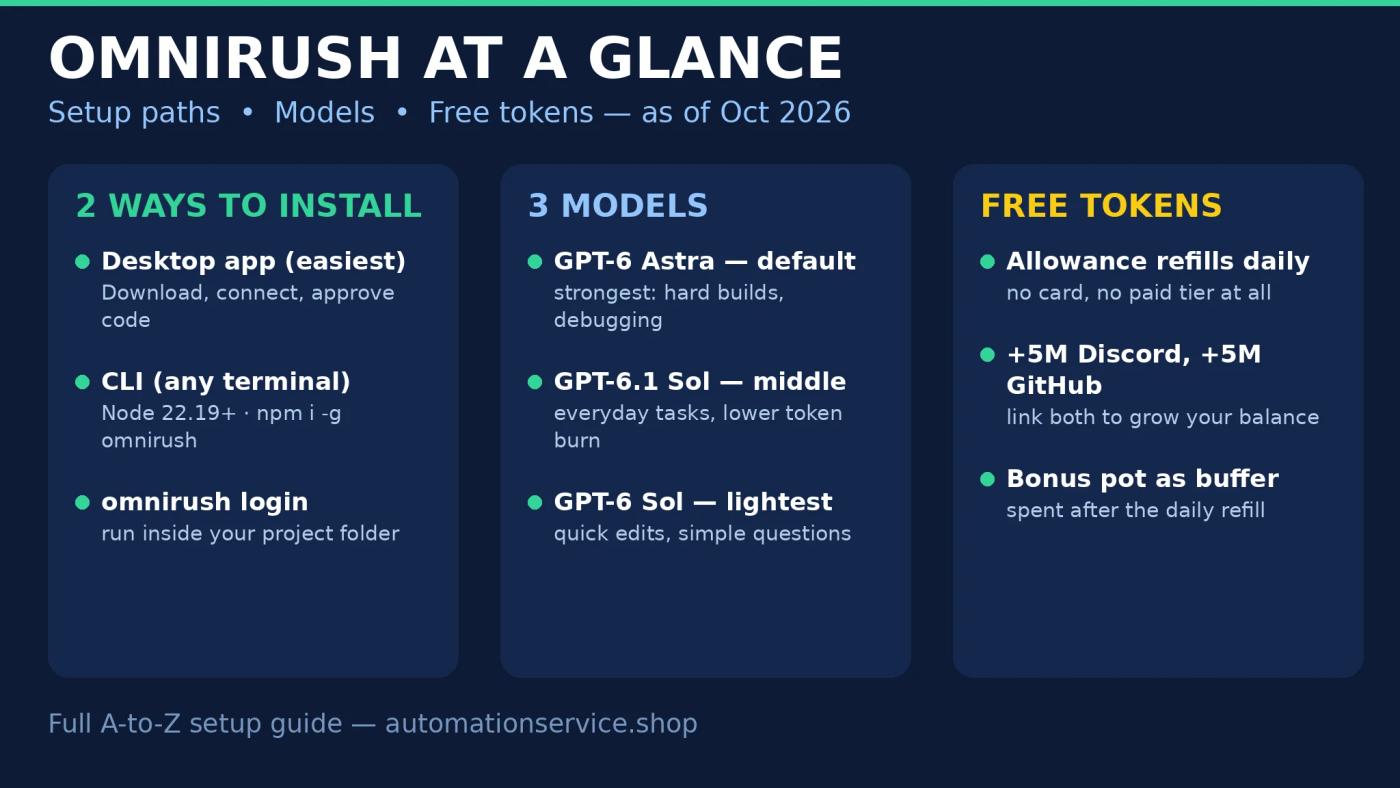
Three models are on offer, and you pick them inside the app rather than on the website:
| Model | Role | Best for |
|---|---|---|
| GPT-6 Astra | Default, strongest of the three | Hard builds, debugging, multi-file work |
| GPT-6.1 Sol | Mid option | Everyday coding tasks at a lower token burn |
| GPT-6 Sol | Lightest option | Quick edits and simple questions |
The main agent has its own picker in the message box, with an effort setting from low to max, while sub-agents get a separate picker, so helpers can run a cheaper model while the main agent thinks harder. OmniRush cites 47,000 signups so far. The free model is clearly a growth play, and growth plays can change, so treat today's terms as today's terms.
What Do You Need Before You Start?
You need very little, but two requirements catch people out, so check them first:
- A GitHub account at least 7 days old. Signup connects through GitHub, and brand-new accounts are not accepted.
- Node.js 22.19 or newer, CLI only. The desktop app needs no Node at all. The CLI does, and older versions will fail.
- WSL on Windows, for CLI users. Run the CLI inside WSL rather than a native Windows shell. Desktop app users can skip this entirely.
- The data agreement. You accept it before your first session starts. Read it, because it covers how your chats and sessions may be used. We come back to this in the honest limits section.
How Do You Install the OmniRush Desktop App?
The desktop app is the easier route, and the one we recommend for a first run: no Node, no terminal.
- Go to omnirush.ai and open the Desktop app download. Builds cover Windows x64, macOS on Apple silicon, and Linux x64 and arm64.
- Install it normally, then open it.
- In Settings, connect your account. OmniRush emails you a one-time code to approve the sign-in.
- Enter the code quickly; codes expire, and a slow copy-paste is the most common reason a first login fails.
- On Windows, SmartScreen may flag the app. Choose More info, then Run anyway, which is standard for new indie desktop apps.
How Do You Install the OmniRush CLI?
The CLI gives you the same agent in any terminal, including the integrated terminal in VS Code. No IDE extension exists or is needed. First confirm your Node version, then install, log in, and run:
node --version
npm i -g omnirush@latest
omnirush login
omnirush
omnirush doctor
Run the bare omnirush command from inside your project folder, because the agent works on the folder you launch it in. If anything misbehaves, omnirush doctor is the built-in troubleshooting command. One warning from the demo: in non-interactive mode, put the flag at the end of the command, or it can hang waiting for input that never comes.
What Does Your First Run Look Like?
Your first run is simple: point the agent at a folder, type the task in plain words, and watch the swarm work. In the demo for this guide, the prompt asked for a portfolio site with home, about, and projects pages, a dark theme, and a mobile-responsive layout. The agent wrote it file by file and finished with a working site.
The part worth watching is the swarm. The main agent does not work alone: it spins up sub-agents that split the job and check each other's output, which is why one plain-English prompt can produce a multi-page result instead of a rough draft. If you have read our OpenDots setup on Windows guide, the idea will feel familiar, a lead agent coordinating a small team, except here the team runs on free tokens. Start with something small and inspectable before letting any agent loose on a project you care about.
Watch the full OmniRush setup video on YouTube
How Do You Check Your Token Balance?
Your balance sits in the desktop app's sidebar and on the console homepage. Check it before a big job, because model choice changes the burn rate: GPT-6 Astra at max effort spends tokens far faster than GPT-6 Sol on a quick edit.
A legitimate way to add to your balance is the referral program. If you sign up through our channel's referral link, both sides get 5M bonus tokens that never expire. It is our link from the video description, and we benefit if you use it. Use it or don't; the setup steps are identical either way. Bonus tokens are spent after your daily allowance runs out, so they act as a buffer for heavy days.
What Are the Honest Limits?
There is no official daily figure. The 31M figure in the video title is the presenter's own account reading, assembled from Discord and GitHub linking bonuses plus a power pool that grows with usage, so a new account will not start there. One independent review measured roughly 5M tokens per day, and that is a single reviewer's measurement, not a spec. In the demo the balance refilled at 6:00 AM daily under a weekly cap, but treat the exact mechanics as changeable while the product is this young.
Your sessions may train the models. The data agreement you accept at signup allows chats and sessions to be used for training. Keep API keys, passwords, client code under NDA, and anything else sensitive out of OmniRush projects. Use it on your own code and learning projects first.
Free seats are not instant seats. A "waiting for a free seat" message means the backend is busy. That is capacity, not an error, so wait and retry rather than reinstalling. With no paid tier, there is also no way to buy your way past the queue.
Who Should Use OmniRush?
Use it if you are learning to build with AI agents, prototyping personal projects, or priced out of the paid coding agents and willing to accept a queue and a variable allowance. It is a low-risk way to learn how swarm agents behave on real work: the only cost is your time.
Be careful with proprietary code: the training clause rules it out for client work and anything under NDA. Paid tools with contractual no-training terms exist for that world. This is not one of them yet.
Frequently Asked Questions
Is OmniRush really free?
Yes, as of Oct 2026. There is no paid tier, signup needs no credit card, and every account gets a token allowance that refills daily. The trade-offs are capacity queues at busy times and a data agreement that allows session data to be used for training.
How many free tokens do you get per day?
OmniRush publishes no official per-user figure. One independent review measured roughly 5M per day, while the presenter's account in our video demo showed about 31M built from linking bonuses and a usage-based pool. Your figure will vary, so check your own balance in the app.
What do you need to sign up for OmniRush?
A GitHub account at least 7 days old, plus the data agreement before your first session. The desktop app needs nothing else. The CLI also needs Node.js 22.19 or newer, and Windows CLI users should run it inside WSL.
Which AI models does OmniRush offer?
Three, as of Oct 2026: GPT-6 Astra, the default and strongest; GPT-6.1 Sol in the middle; and GPT-6 Sol, the lightest. You pick models inside the app, and sub-agents can run a different model from the main agent.
Will OmniRush use my code and chats for training?
It can. The data agreement allows chats and sessions to be used for training, so keep API keys, passwords, and sensitive or client code out of OmniRush projects.
Verdict
OmniRush is the easiest free on-ramp to AI coding agents we have covered: a five-minute install, three current models, swarm agents that check each other's work, and no card anywhere in sight. Go in clear-eyed about the two real costs, an allowance that nobody will quote exactly and a training clause that rules out sensitive code, and it earns its place as the first agent you try before paying for any of them.
Related Articles


