

Folk AI Telegram: Free Setup, One-Prompt Websites & Honest Limits
Folk AI Telegram is an AI assistant inside Telegram, with a free daily message allowance and a cloud workspace that keeps working after you close the app. This guide covers the Telegram setup, one-prompt website building, and the honest limits, including the referral catch, before you start.

Folk AI Telegram is an AI assistant inside Telegram, with a free daily message allowance and a cloud workspace that keeps working after you close the app. It can build a simple website from one detailed prompt and watch things for you in the background. Read the referral catch first: the official FAQ and the official Terms do not describe the reward the same way, so $15 should not be treated as guaranteed income.
What Folk is, and what it is not
Folk is an AI agent you talk to in a messaging app, rather than a separate app for every job. According to Folk's FAQ, each user gets a private cloud computer, so scheduled jobs can run in the background. It is not a website builder alone, nor a human freelancer. It writes, browses, and builds from your prompts, and its output still needs checking.
This article is about Folk at folk.com. A search for "Folk" will also surface folk.app, a separate CRM product, so do not sign up there by mistake. For wider context, see this related guide on AI automation for business in 2026.
Join on Telegram, step by step
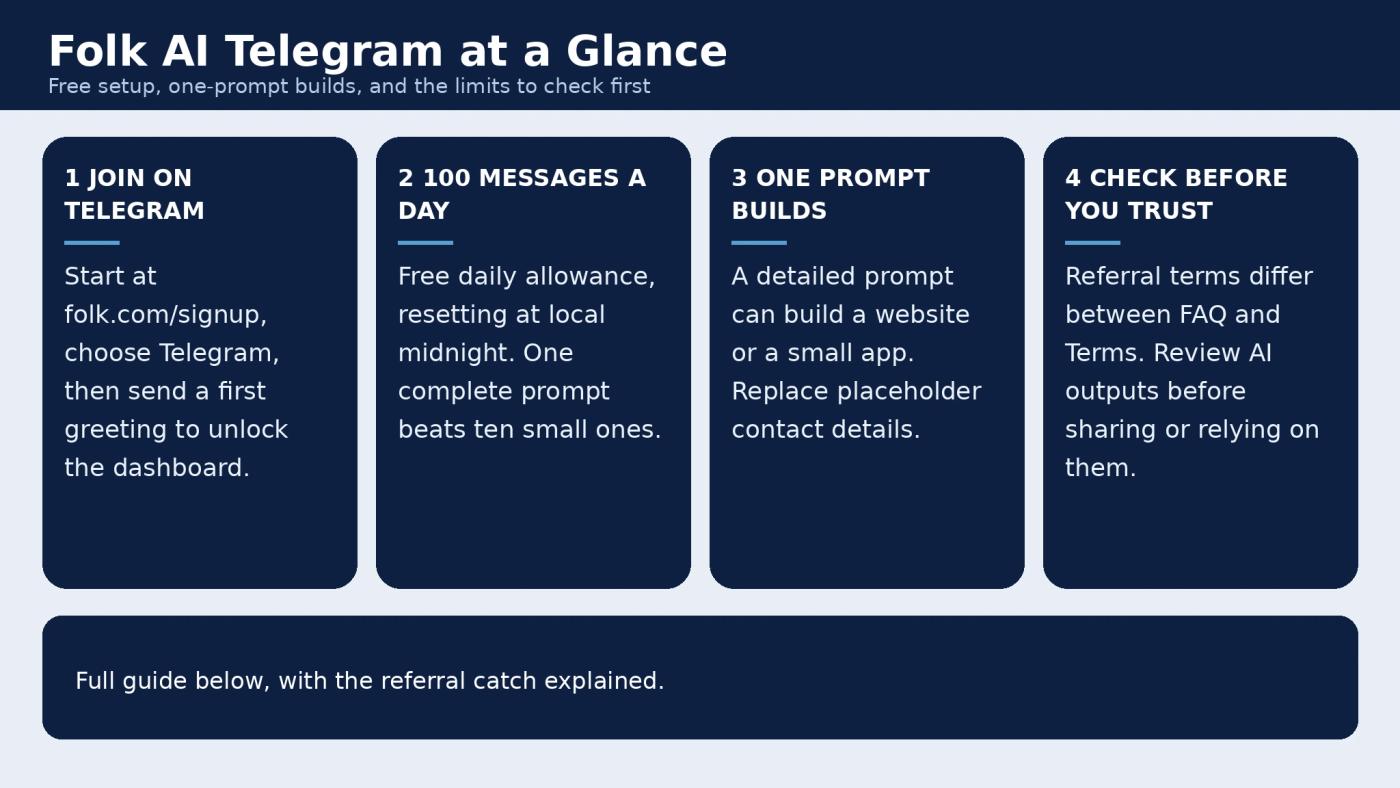
Start at folk.com/signup and choose Telegram. The steps below follow what was demonstrated in the companion video, not a promise from Folk's official docs.
- Open the signup page and select Telegram.
- Enter your phone number, then continue with Telegram.
- Allow the bot to receive your name, username, and photo, as shown in the demo.
- Send a first greeting message. In the demo, that greeting unlocked the dashboard.
- Check your allowance before a long job.
If a step differs on your phone, follow the official signup screen.
Build a website from one prompt
The video's main demo is a bakery website built from a single detailed message. The prompt asked for a mobile-friendly local bakery landing page with a hero section, a priced menu, reviews, an order form, contact details, and a live link. The result shown had a 13-item menu, reviews, and an order form with a live total.
The detail in the prompt is what makes the difference. A vague prompt like "make me a website" leaves the agent guessing about your business, prices, and contact details. A useful prompt names the business, the area it serves, the items and prices, the opening hours, and what the visitor should do next, such as call, order, or visit.
Before you share any link, do three checks. First, replace every placeholder phone number and email address with your real ones. The demo site showed placeholders, and fake contact details will lose enquiries. Second, open the live link on your own phone and tap through the menu, order form, and contact section. Third, fix anything wrong in the same chat before you post the link.
The video puts this build at about five minutes, which is demo timing rather than a guarantee.
Everyday uses, watchers, and app connections
Websites are only part of what Folk can do. Folk's skills page describes daily jobs such as a morning brief, price and flight watches, and habit check-ins. You can ask it to watch something and report back, rather than checking the same page yourself daily.
The video also demonstrated an expense tracker style app with categories, monthly totals, and a weekly summary. That shows what an in-chat app can look like, not proof that every app idea will work the same way on the first try. Start with one small job and check its reliability first.
Connections cut down the switching between apps. Folk's FAQ lists one-tap connections for Gmail, Calendar, Drive, Docs, Sheets, Outlook, Teams, Notion, Slack, Linear, Todoist, Strava, and bank connections, plus more than 1,000 other apps, with no API keys needed for a one-tap setup. Connect only the apps you need, and check what each connection can read or change first. The same FAQ says Folk does not train its models on your conversations, and that memory can be edited or deleted. Still avoid pasting passwords or private customer data into any third-party workspace.
The free limit, and the referral catch you should read first
Folk's FAQ says you get 100 messages a day, resetting at local midnight. The video makes the same point: send one complete, detailed prompt instead of many small ones, because each message counts toward the day. The same FAQ says an invited friend can refill your allowance, though the amount is not stated. Do not plan around an unstated refill.
Referral rewards need more care. Folk's FAQ describes $15 after a friend sends 15 messages, with a 7-day maturity period, Whop verification, and an 18-plus age rule. Check your own terms on Folk's rewards page. Folk's Terms describe the reward differently, as applying to a paying subscriber past the refund window. Those wordings do not match cleanly, so do not treat $15 as guaranteed income. Expect the stricter version to apply.
Creator rewards are separate. Folk's FAQ lists $3 per 1,000 completed replies for creators. That is the FAQ's claim, not a payout this article can confirm. In the video, the presenter's own rewards balance on screen was $0, so no payout was demonstrated.
Honest limits
Folk's Terms say AI outputs can be wrong, and you should review them before relying on them. That applies to prices, facts, forms, and anything a customer will see. The service is generally for users aged 13 and up, while characters are for users aged 18 and up, according to the same Terms page.
Access routes also vary. The official FAQ lists iOS, web, iMessage, Telegram, and WhatsApp, but the video notes WhatsApp rollout is country by country, so Telegram is the surest route for now. No country list is promised here.
The video showed browsing and form filling, with the agent opening sites, clicking through pages, filling forms, and reporting back in the same chat. Treat that as demonstrated in the video, not as a guarantee for every site. Some sites block automation, and a filled form still needs confirmation. No live price alert firing was shown on camera either. Set a test watch first and confirm the alert arrives before you rely on it.
Frequently asked questions
Is Folk AI on Telegram really free?
Folk's FAQ states a free allowance of 100 messages a day, resetting at local midnight. That is the verified daily allowance here, not a claim that every feature stays free. Check the FAQ for the current terms before you build around it.
How do I join Folk AI on Telegram?
Start at folk.com/signup and choose Telegram. In the video demo, the steps were to enter a phone number, continue with Telegram, let the bot receive your name, username, and photo, then send a greeting to unlock the dashboard. Follow the official screen if it differs.
Can Folk AI really build a website from one prompt?
In the video demo, one detailed prompt produced a bakery site with a 13-item menu, reviews, an order form, and a live link. That result depended on a detailed prompt. Replace placeholder phone and email details, test the live link, and fix errors before sharing it.
Do I get $15 for referring a friend to Folk?
Folk's FAQ describes $15 after a friend sends 15 messages, with a 7-day maturity period, Whop verification, and an 18-plus rule. Folk's Terms describe the reward differently, as applying to a paying subscriber past the refund window. Check your own referral page and the Terms before counting on any payment. No payout was demonstrated in the video.
Is Folk the same as folk.app?
No. This article covers Folk AI at folk.com. Folk.app is a separate CRM product. Use the official folk.com signup page for the assistant described here.
Watch the demo, then try one small job
To see the Telegram join steps and the bakery website demo first, watch the companion video: Folk AI FREE: This AI Finishes Your Daily Work While You Sleep.
Watch the full Folk AI video on YouTube
Start small. Join through Telegram, send one clear prompt for one job, check the result yourself, and only then connect more apps or share a live link.
Related Articles


